Are you the kind of person who likes a good challenge? Do you finish all the side quests in games and try to earn all of the achievements?
Well if you’re a runner, there’s a similar way to incorporate this obsessive tendency into your running: run every street in town.
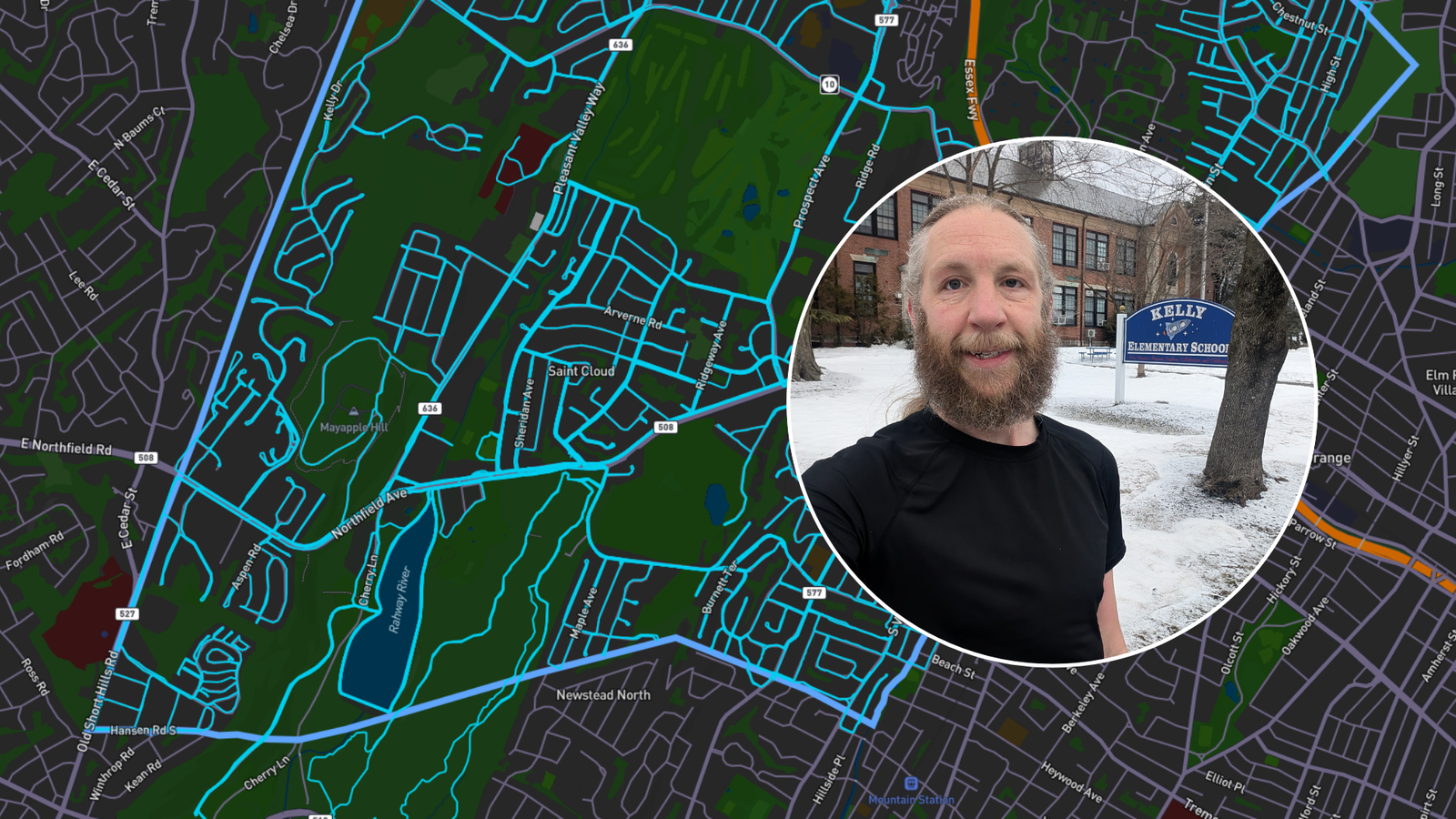
I’d seen people talk about doing this, including one of the guys from my running club. The idea piqued my interest, and I decided to make it one of my running goals for 2026. This Friday, I completed that project: I ran every street in West Orange.
As simple as it sounds, this raises the question of how best to track your progress. You could go old school and just use a printed map and a highlighter. Or you could do a digital version with a PDF file and an image editor. But this raises questions of what exactly constitutes a road and it inserts the possibility of human error.
I tried out an app that people on Reddit had suggested, and I loved it: City Strides. It’s a nifty little web app that does exactly what it says on the tin. It tracks your progress running every street in a given city.
Like many web apps, it’s a freemium model. You can sign up and use the app for free – or you can pay a small subscription fee to unlock some additional features. The free version is perfectly adequate for the casual person, but the subscription fee is worth it if you’re seriously chasing this goal in a short amount of time.
Today I want to run down the pros and cons of City Strides – how the app works, what I liked, what I didn’t, and when it makes sense to pay for the premium model.
How City Strides Works
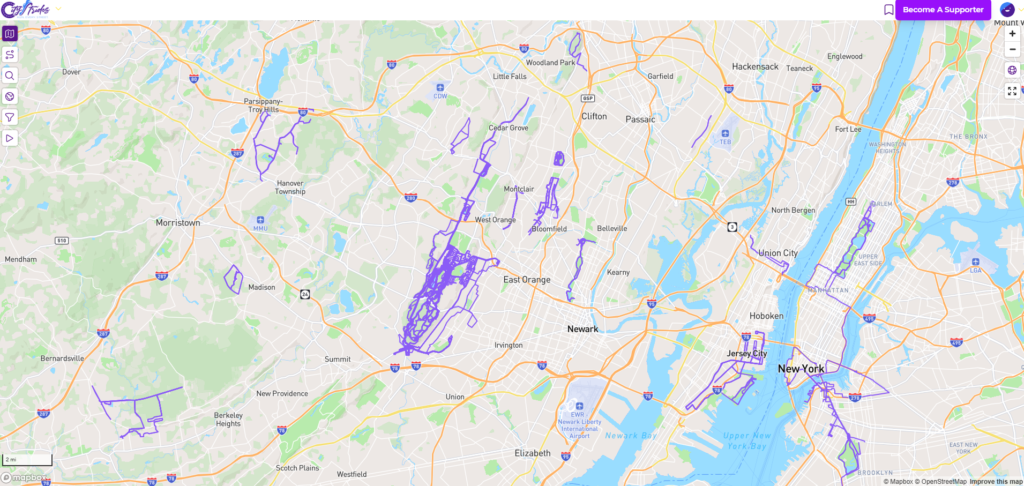
At it’s core, it’s pretty simple. You connect an activity tracker to feed in your running data, the app pulls the street data from OpenStreetMap, and the two get compiled together. The end result is a LifeMap like you see above – basically a personalized map of everywhere you’ve ever run.
I have a Garmin watch, so I connected directly through Garmin. You could also use COROS, MapMyRun, Runkeeper, Strava, or Suunto. While their may be nuances to each connection, Garmin worked reliably for me. There was one time that an activity didn’t sync properly, but I was able to re-sync it and get things up to date.
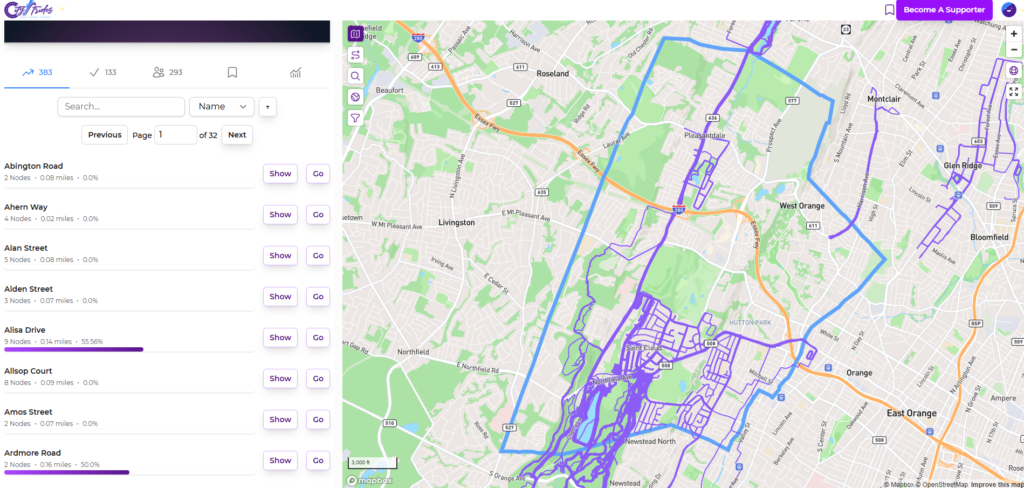
When you select a city in City Strides, you see a summary of the data: how many streets are runnable, how many miles they total, the last time the map was updated, and your actual progress.
Under the hood, each street has nodes along it’s route. The first time you run through a node, it gets marked as completed. Once each node along a street is completed, the street itself is complete. If you scroll through the list of streets, you can click on “Show” to see the individual nodes and click on “Go” to focus the map on that particular street.
These nodes are marked pretty much instantaneously after you sync a run. Separately, there’s a process that creates a cached version of your LifeMap. This adds a new line for the route you just ran, marking it off in color. If you’re a paid supporter, this happens pretty quickly. If you’re using the free version, you might have to wait until later in the day to see this updated.
And that’s about it. You’ll get notifications and emails when you make progress. I think I got an email at every 5% mark (i.e. 45% of streets completed, 50%, etc). You can also log in and check your profile to see the exact status of the city and of each street. And if you’re competitive, you can see other people’s progress, too.
What I Loved About City Strides
Above all else, it works. You could just set it and forget it, run every day, and check in on your progress periodically. It tracks everything accurately, and unless you’re neurotic about things you don’t need to log in and spend any significant amount of time doing anything.
The free version really is “good enough.” There are some nice to have features (more on that below), but you could definitely complete your quest without actually paying anything. In today’s day and age, where a lot of freemium apps really push you to upgrade, I think the developer struck a good balance between providing a useful product and offering quality of life – but not essential – upgrades paywalled behind a small fee.
I really like the Life Map. Separate from the goal of running every street, it’s a fun way to visualize everywhere that you’ve run. Strava used to have a personal heatmap that was similar, but it’s now locked behind their subscription. It’s fun to zoom out and see, in perspective, all the places that you’ve run. Since I run every day on vacation, I see little blips around the globe of every city that I’ve visited.
If for whatever reason you can’t run a particular node, you can also manually mark it as complete. In my case, there was one stray node that was totally un-runnable. But this is a useful feature for anyone who doesn’t feel safe along certain routes. You’re going to find some streets that lack sidewalks and are otherwise a bit sketchy. To some extent, the truly dangerous ones are already going to be filtered out – but you may have a different safety threshold than other people.
What I Didn’t Love About City Strides
There was nothing that made me say, “This sucks.” It’s a really good product. But there were a few things I found to be mildly annoying.
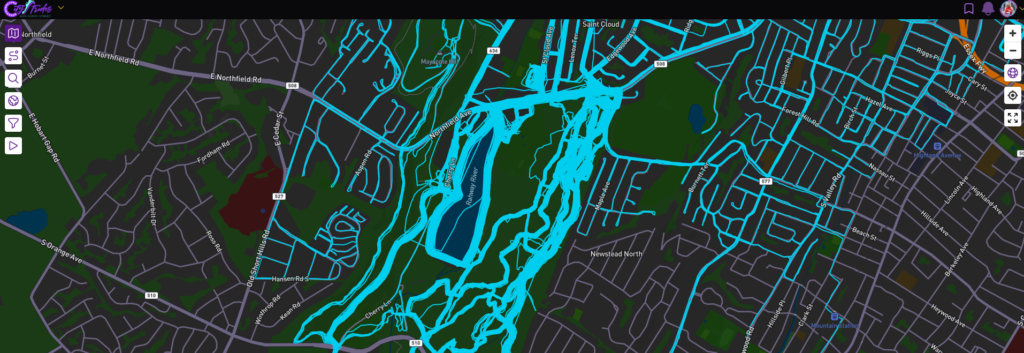
First, when you look at the Life Map, the streets that you run frequently start to look like blobs. The GPS track of each activity is slightly different, and in some cases they’ll start to blend together. I guess that’s the inevitable result of the choice of showing the actual GPS tracks instead of just coloring in the streets.
Second, there’s no way to reset your progress based on a specific timeframe. If you’re a premium subscriber, you can filter the Life Map to only show results from a specific range of dates. But this doesn’t reset your progress. So if you wanted to re-run your city in the future, there’s no easy way to figure out exactly how many streets you’ve completed since the beginning of the year.
Third, the use of the nodes can result in you missing tiny bits of roads. There are two or three places that I’ve found on my map where I ran two parallel streets that were close together and I forgot to run the short connector between them. Technically, I completed the street because I ran every node. But I missed a short block. There’s no real way to pinpoint these issues other than zooming in and scanning the map manually.
Finally, if there’s one premium feature that I think should be in the free tier it’s the full size map. When you’re browsing the map, there’s a panel on the side (desktop) or at the bottom (mobile) with other information. Toggling full screen mode and hiding the panel is a premium feature. On desktop, this isn’t a huge deal. There’s plenty of screen real estate, and as long as you’re using a landscape monitor you’ll be fine.
But on mobile, this is very annoying. On my phone, the map is only visible on about a third of the screen. This makes it really tough to pan around and plan your next run. If you’re using the free version, I’d highly recommend that you do that on your computer. And if you’re going to rely heavily on the mobile experience, it will be worth it to spend a few bucks and become a supporter.
When It Makes Sense to Pay for the Premium Version
The premium version isn’t expensive. It’s $5/mo or $50/year if you pay on an annual basis. If you’re actively chasing the completion of a given city, it’s well worth the money. But if you’re just letting it collect data in the background without a specific goal, it’s a little more than I’d be willing to pay every year on an annual basis.
One benefit of the premium version, which I mentioned earlier, is the ability to make the map full screen. This is really important if you’re using the app on your phone. It’s less important if you’re on a computer. Although I have a two screen set up for my computer, and I did like viewing the map on my vertical monitor and toggling the full screen mode.
Another benefit of the premium version is that you can filter the Life Map. While you can’t reset your progress to only track activities within a given time frame, this is essential if you ever want to repeat your city. In my case, I also wanted to exclude runs that I had done before January 1. Even though technically they had already counted towards my progress, I wanted to make sure I ran them again. So being a supporter let me filter my map and make sure that I had run each street this year.
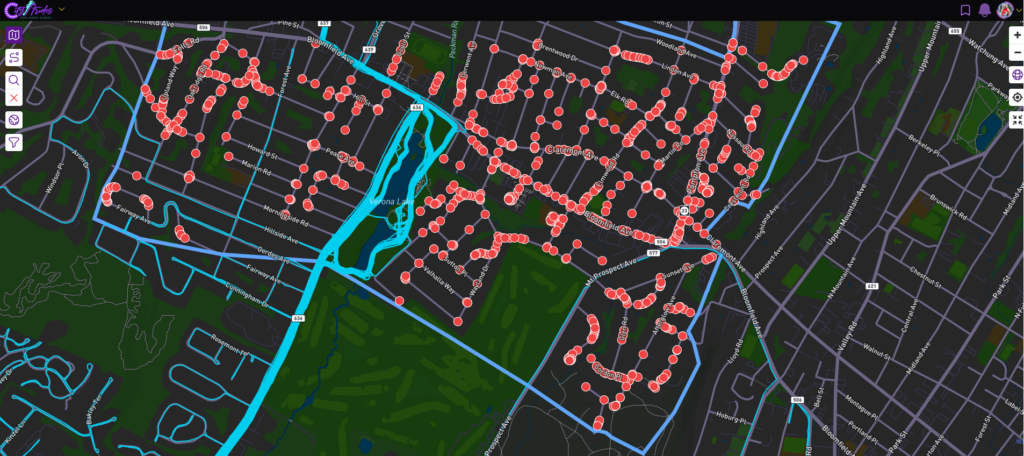
The Node Hunter is a useful tool for route planning. To see where nodes are, you could search for a street and display it. But the Node Hunter will automatically pop up a red dot for every unfinished node in your target city. This helps you plan out where to run. It also alerts you to “non-roads.” From time to time, you’ll see something that looks like a road on on Google Maps, but maybe it’s a private driveway or a trail that’s not really tracked.
The final thing that makes the premium version worth it for me is the priority processing for your Life Map. Every time you sync an activity, your Life Map gets re-processed and cached. There’s a separate processing queue for premium supporters, and this is usually done within a matter of minutes. By the time I get home, take my shower, and get dressed everything is up to date. As a free user, you might get stuck in the queue until late in the afternoon.
Big deal? Not really. And if you’re just passively tracking your status, this doesn’t matter. But if you want the immediate gratification of seeing the updated map – you’re going to want to be a premium supporter.
It’s also worth pointing out that this is a small project maintained by one guy. I really have no interest at all in giving Strava any money. As a big corporation, they can juice a few whales to make their money and I don’t feel bad about being a permanent free user. But as someone who dabbles in software development and understands the time and costs associated with maintaining this kind of app, my threshold for deciding whether to become a paying subscriber in this case is much lower.
So if you’re the kind of person who likes to support small businesses – just pony up the $50 for the year and be done with it.
Good Luck Completing Your City!
As I wrote about here, running every street in my city was a fun and motivating experience. I’d highly recommend it to anyone who’s a runner. You don’t need to sprint to get it done in a matter of months, and if you live in a big place – aka Manhattan – it might take you much longer. But if you take it piece by piece, you’ll get there!
City Strides is a perfect app for tracking your progress. I used it to track my progress through West Orange, and I became a premium supporter for a few months to see me through. Now that I’m not actively working on a specific city, I’ll probably let that subscription lapse. But if and when I set a new goal – like running the entire county, or at least some of the neighboring cities – I’ll be re-upping that subscription for a year.
Have you run every street in your city? Did you use City Strides – or did you use something else? I’d love to hear about your experience!
And if you’re going to do this yourself, take a look at City Strides, test it out, and consider being a premium supporter when the time is right.
A friend got me interested in Citystrides and have been using it for about 8 years. I’ve knocked off a bunch local cities and even try to knock off streets when I visit somewhere.
I really enjoy using Citystrides and the challenge it creates and feel the paid version is worth the price of admission.
One thing to note is that it uses Open Street Maps, so you can edit streets to make them private etc. If you are a paid subscriber, you can do a sync, but wait 24 hours after doing an update